That's NOT My Mom Controls & Sound Awareness
PC and mobile inputs that keep the Mimic from hearing you.
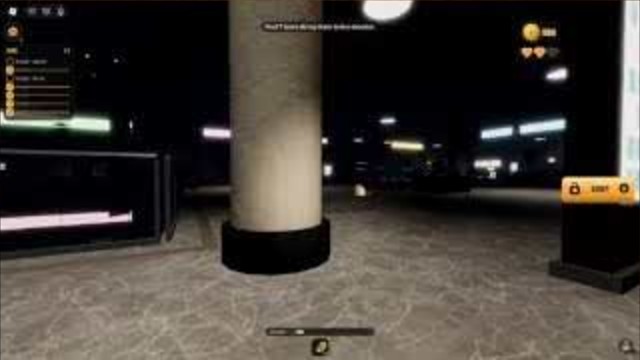
Mastering That’s NOT My Mom starts with inputs, not shop flex. The Mimic hunts by sound and cannot rely on normal vision the way shooter enemies do. This Controls Hub covers PC and mobile movement, crouch / hide, interact, and sound-meter awareness so your fingers match the stealth fantasy before Chapter 1 Supermarket or later Airport and Department Store runs.
Pair this page with Getting Started, habit ranks on the Tier List Hub, and co-op callouts on the Players Hub.
PC controls (keyboard / mouse)
Exact keybinds can vary with Roblox shift-lock and custom rebinds, but the gameplay verbs stay stable:
| Action | Typical PC input | Stealth note |
|---|---|---|
| Move | WASD | Prefer walk; treat sprint as a panic button |
| Look | Mouse | Peek corners before committing footsteps |
| Sprint / run | Shift (common) | Loud — use to break line to a table, then stop |
| Crouch / sneak | Ctrl or C (common) | Soften audio when the Mimic is near |
| Hide under tables | Interact near valid cover | Best reset after a noise mistake |
| Interact / pick up | E or left click | Grab list items, tickets, fuses, minigame prompts |
| Jump | Space | Avoid spam jumping; landings and taps add noise |
If your key map differs, open Roblox settings and align crouch and interact to keys you can hit without flailing. Flailing is audio.
Mobile controls (touch)
| Action | Typical mobile control | Stealth note |
|---|---|---|
| Move | Left thumb stick | Nudge gently; full-stick sprint culture loses runs |
| Camera | Right drag | Slow pans while listening for Mom vs Mimic |
| Sprint | Sprint button | Tap only for table reaches |
| Crouch / sneak | Crouch button | Keep it handy on the right cluster |
| Hide / interact | Interact button near prompts | Stand close to tables and objective props |
| Jump | Jump button | Rarely useful; skip for quiet routes |
Mobile players should enable a comfortable GUI scale so crouch and interact are not mis-taps. A mis-tap sprint in Airport security is a full squad problem.
Hide under tables — the panic verb
When footsteps stack, a cart crashes, or a fake Mom call lands nearby:
- Stop sprinting immediately.
- Move to the nearest valid table / cover prompt.
- Interact to hide.
- Wait for audio to calm; do not exit into a teammate’s sprint path.
- Re-enter soft walk and continue objectives.
Hiding is not shameful — it is the designed counterplay. Ranked habits on the Tier List Hub put table discipline in S tier for a reason.
Sound-meter awareness
Treat every loud verb as a resource spend:
- Walking — default. Sustainable across shopping list days and fuse deliveries.
- Crouch-walking — when the Mimic is close or teammates just revived.
- Sprinting — burst to cover only.
- Jumping / slam interacts — avoid unless a minigame demands a timed press.
In co-op, call “soft” when anyone’s meter behavior goes feral. Role listeners on the Players Hub cannot hear Mom whistles over four people hammering sprint.
Objective interacts by chapter
- Supermarket: Interact on list items; do not chain sprints between far shelves.
- Water Park: Interact to start kid minigames; keep stick pressure calm between games.
- Airport: Interact on tickets and security-related props; pause before metal-detector style chokepoints.
- Department Store: Interact on fuses and elevator pieces; stagger carriers so interacts do not overlap into a noise stack.
Chapter timing sits on the Updates Hub. Broader routing sits on the Guides Hub.
Accessibility and comfort tips
- Lower camera shake / distracting effects in Roblox settings if horror UI spikes make you mash sprint.
- Use headphones. Whistle verification is an audio puzzle; laptop speakers hide fake Mom tells.
- On mobile, play on Wi-Fi for fewer input stutters during hide prompts.
- Remap if you have one strong hand — interact and crouch must be reliable under stress.
What controls cannot fix
No bind overcomes a fake whistle commit. No bind replaces lobby coins from the Codes Hub. No bind makes public scripts safe — read the Scripts Hub before touching executors. Controls only express the plan you already chose.
Related hubs
Bind crouch where you can find it in the dark. The Mimic is already listening.
Frequently Asked Questions
Quick answers for Mimic hunts, chapters, and co-op.
How do I hide under a table?
Move next to a valid table or cover spot and use Interact. Hide when audio spikes, wait for calm, then return to quiet walking.
Should I sprint on PC or mobile?
Only in short bursts to reach cover. Default to walk or crouch-walk because the Mimic hunts by sound.
What input matters most for the ending?
Listening. After objectives, verify the real Mom whistle before you commit. Fake whistle audio means Mimic.
Do mobile players need different strategy?
Same stealth rules. Focus on gentle stick movement, easy-to-hit crouch/interact buttons, and headphones for whistle checks.
Where do I learn co-op callouts for quiet play?
See the Players Hub for scout, runner, and whistle listener roles plus short macros like soft, under, and fake.